Transcender App - Instructions and Help (Ver. 3.0)
Introduction
The Transcender App is a high-energy tool with which you have the opportunity to work energetically for yourself, for the planet or for other people. There are more than 100 different unique energies available, which can be found in the form of energetic light crystals in the app.
The operating principle of the Transcender App is based on a spiritually energetic construct, which contains a new technology (the full name of this technology is: Interdimensional Transmission Transcender), which is located in the higher levels of light (in a higher dimension) and is responsible for the transmission of energies.
You can think of the app as a kind of user interface, through which you can prepare (program) various energetic work, define your goals and then carry them out. Each of your entries is registered energetically while working with the app and completed during the transmission, for your greatest good.
The light crystals (symbols) of the light language ARI SO AM
The light crystals (symbols) of the ARI SO AM light language are an essential part of the Transcender app. The crystals were transmitted in 2003 by the German medium Sabine Sangitar for the people on planet Earth / Sol’A’Vana to facilitate the Transition/Ascension into the higher dimensions of light.
The crystals have the highest energy and come from the highest light. Please be aware that each crystal carries the consciousness of a single God / Angel / Ascended Master and is a living energy. The more you work with the crystals, the more you will feel how powerful and strong the crystals are.
The crystals have their own consciousness and seek their way out of divine reality into your reality. Use the crystals as often as you can, because this stores the awareness of the crystals more and more in your cell water and awakening will follow.
Initiation into the Transcender Technology
In order to activate the full functionality of the Transcender app and to connect the energetic patterns of the new technology behind it with your light field, you have the opportunity to receive an initiation.
The initiation will be carried out by Melek Metatron, the Eye of God (see video). The initiation is not a must, the app works without this initiation, but the intensity of the energies is increased by the initiation.
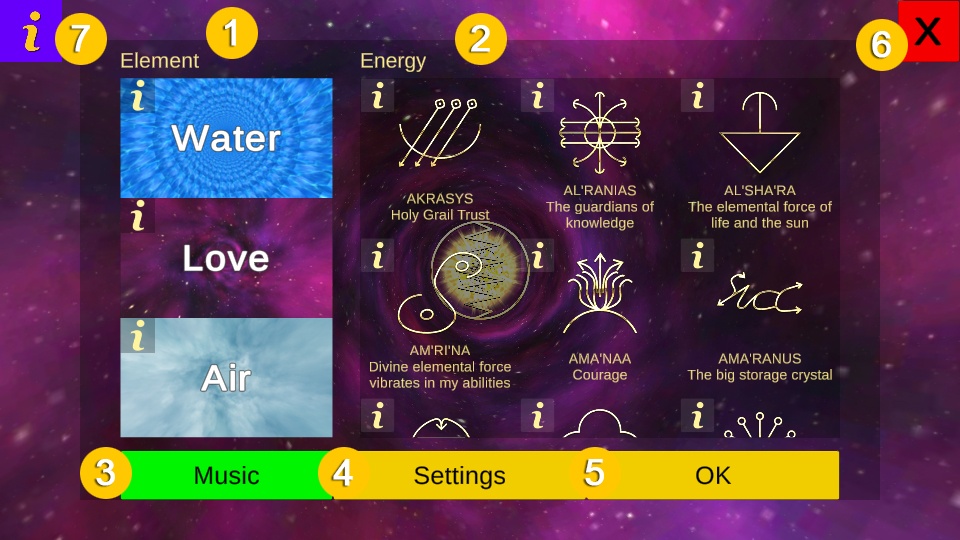
With this module, you have the opportunity to work energetically for yourself, for other people or a group. There are a lot of energies / crystals available, which you can put together to form a program / sequence using an intuitively designed system. You can then run this program to start the energetic transmission. You also have the option of saving your programs and reloading them at a later time.
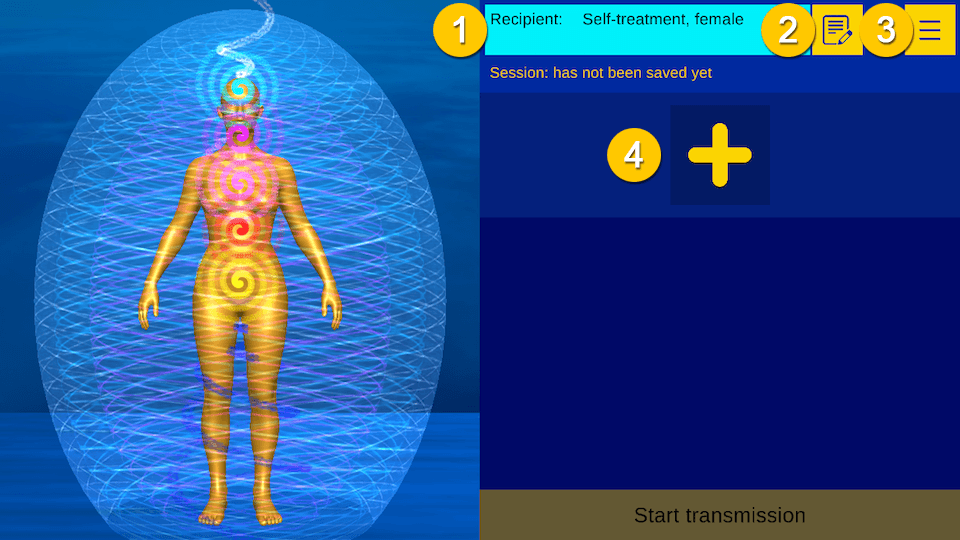
Start View
1. Recipient data window
2. Opens the „Edit recipient“ window.
3. Opens the menu.
4. Opens the window „Insert new energy“ (see below)
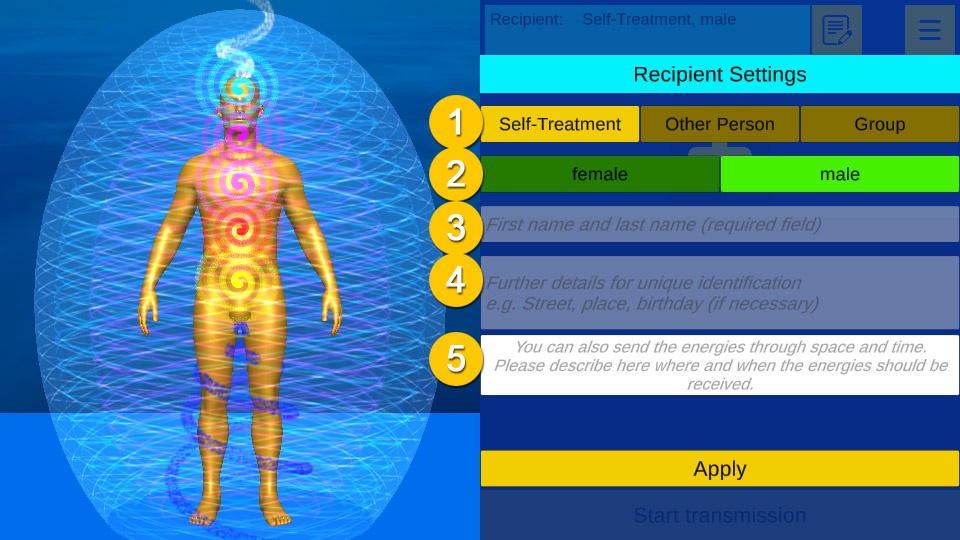
Recipient settings
1. Select recipient: self-treatment, other person or group
2. Recipient’s gender: female or male
3. If „other person“: enter first name and surname, if „group“: enter details
4. If „Other person“: Enter further details
5. Settings for time and space
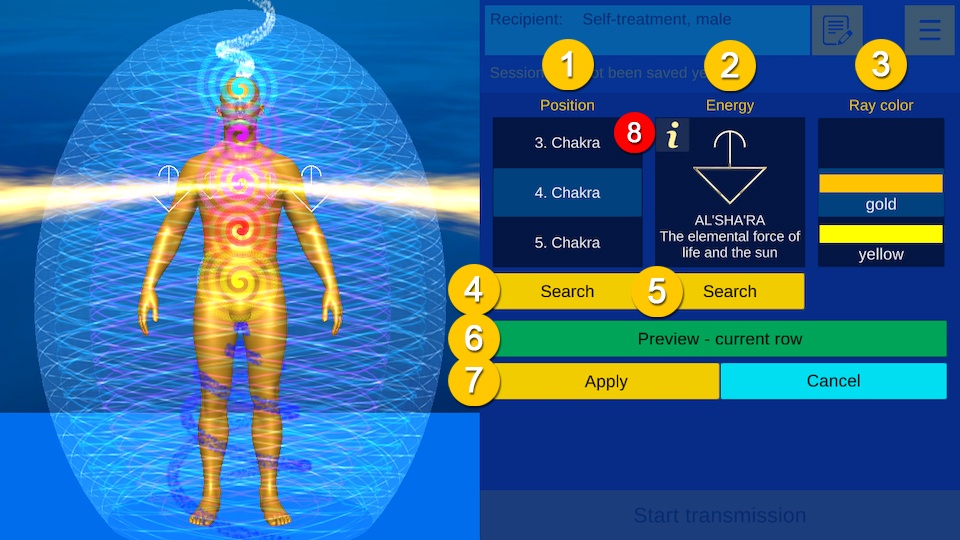
Insert new energy
The fields Position, Crystal, Ray Color/Color can be changed/scrolled with a swipe gesture. If you click on the field, an fast selection window will be opened. The current values are reflected on the left side of the screen in real time.
1. Selection: Position, swipe or click on the field to open fast selection window.
2. Selection: Crystal, swipe or click on the field to open fast selection window.
3. Selection: Ray color/color, swipe or click on the field to open fast selection window.
4. Opens the quick search for the position
5. Opens the quick search for the crystals
6. Displays all elements of the current row
7. Add the New Energy to the selected row.
8. Click on the small “i” to get more information about the crystal
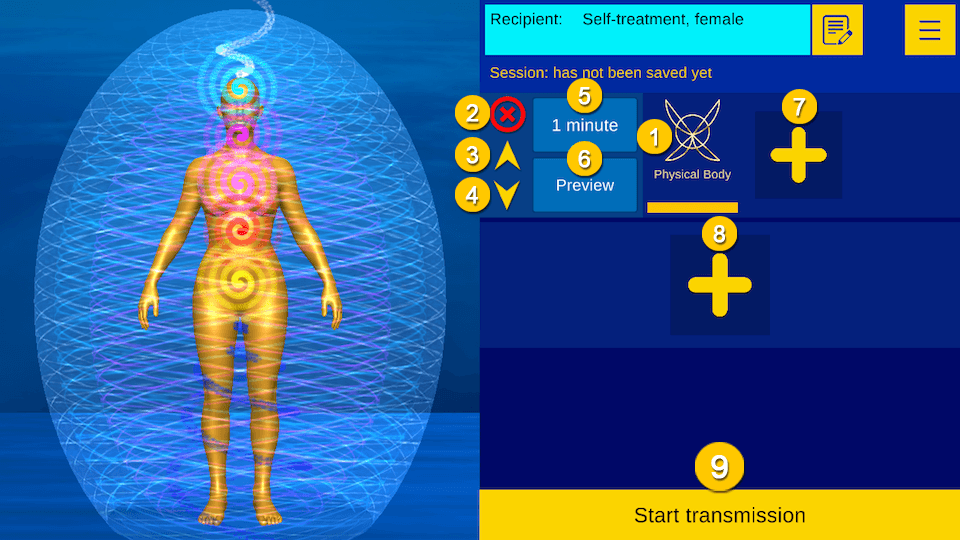
Create program/sequence
1. Click on the crystal to change this element.
2. Delete row
3. Move the row upwards
4. Move the row down
5. Change the length of the row; use the swipe gesture or click on the field to open fast selection window.
6. Displays all elements of the row
7. Insert a new element
8. Insert a new line
9. Start transmission
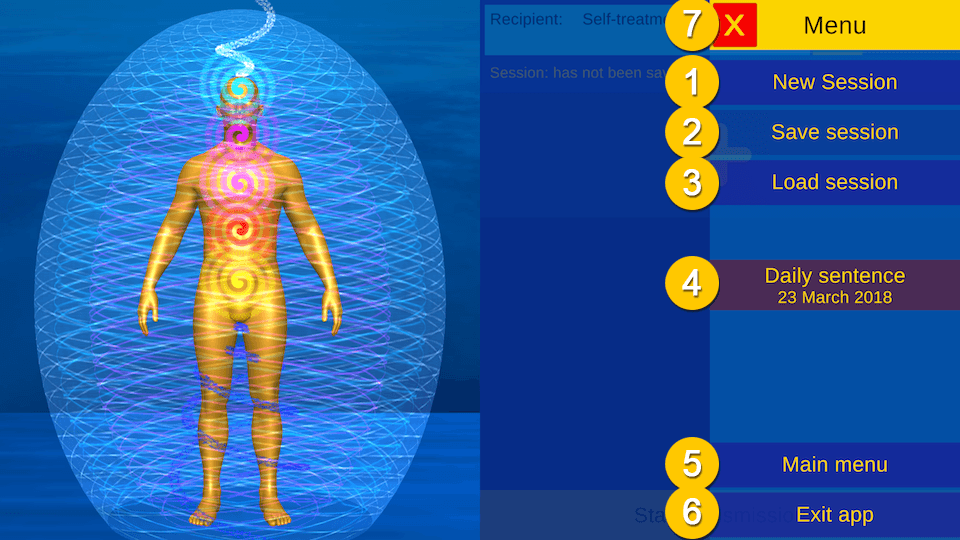
Menu
1. Create a new session
2. Save current session
3. Load a session from the database
4. Opens a new window and displays a compact version of the daily sentence (see below)
5. Exits the module and opens the main menu
6. Exit the app
7. Close the menu
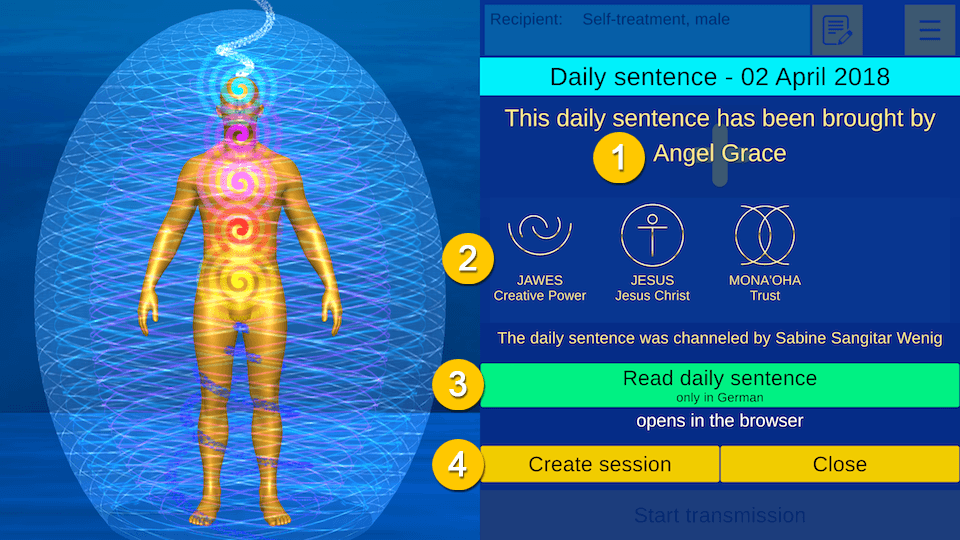
Daily sentence
1. Light being
2. Daily crystals
3. Opens the complete daily sentence in the browser
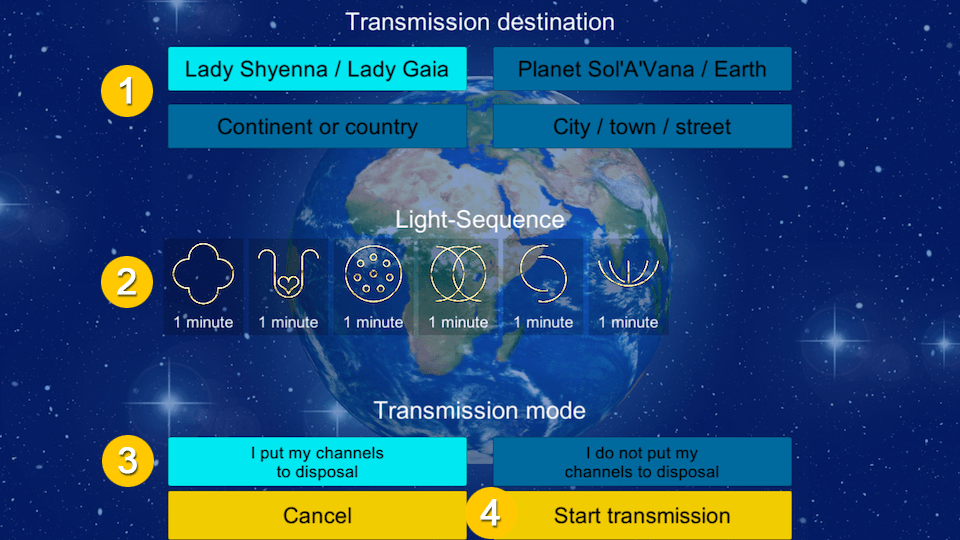
With this module, you have the possibility to transmit energies of light to our planet. Know that every transfer of the light energies that you carry out will also be an enrichment for you, you are part of the planet, just as the planet is also part of yourself.
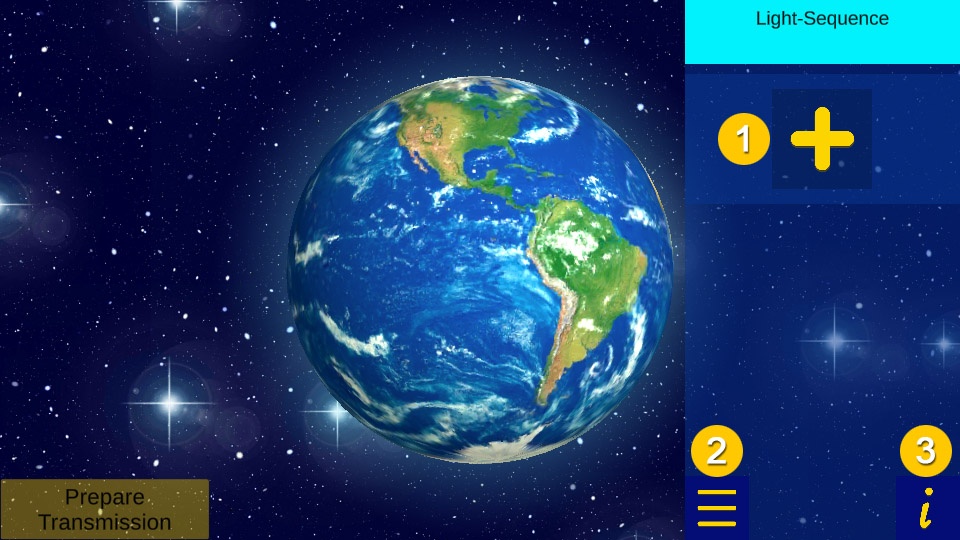
Create program / sequence
1. Add a new crystal
2. Opens the menu
(New Sequence, Save Sequence, Load Sequence, Exit App, Main Menu)
3. Opens this page
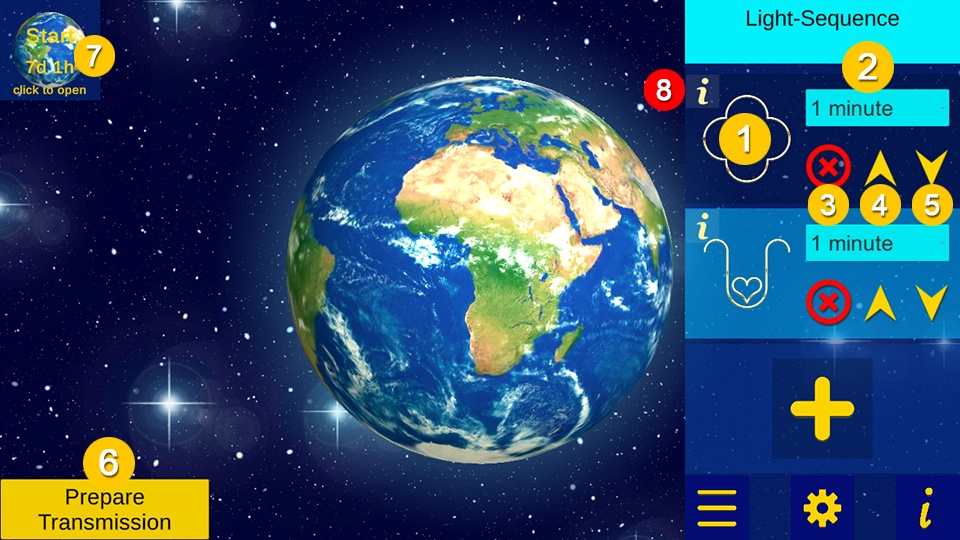
Edit program/sequence
1. Change crystal
2. Change the length of the crystal
3. Delete the crystal
4. Move the crystal upwards
5. Move the crystal down
6. Opens the „Prepare transmission“ window
7. Opens the „Worldwide planet healing session“ window
8. Click on the small “i” to get more information about the crystal
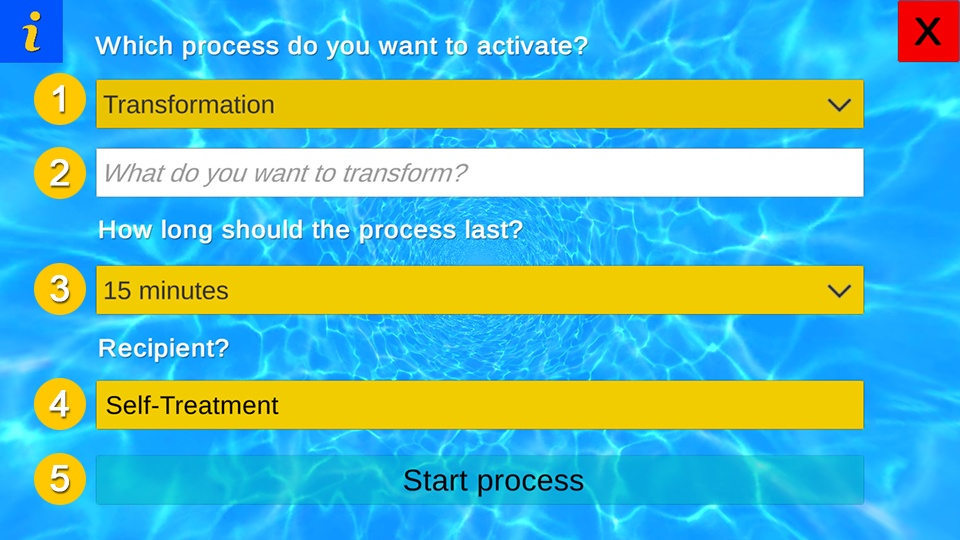
With this module, you have the opportunity to perform energy work in the form of energetic processes. Find a suitable process and describe the topic you want to work on. Explanation of the individual processes, see below.
1. Select process
2. Enter the topic / energy etc., which is to be processed energetically
3. Length of the process
4. Opens the „Recipient Settings“ window. Here you can choose who should receive the energies.
5. Starts the process
Description of the processes
Transformation
Transformations involves a conversion of the no longer useful energies. They can sometimes be exhausting and painful, but they are necessary and always lead you to a life with more freedom, joy, peace and love.
Healing
Every transformation is followed by a process of healing. Healing involves restoring the original and natural structure and energy circulation. Healing leads you to your real self.
Cleaning
In everyday life it often happens that you absorb energies from the collective field that do not belong to you and that are not useful to you on your way. These should be cleaned regularly and removed from your fields. Processes of transformation can also create energetic residues that collect in your fields. Regular cleaning is also very useful here.
Grounding
Grounding is an important process. It includes stability, deep connection of the energies and has a healing effect on the total energy. Grounding should be done at all levels, not just the physical level. Use this process to ground yourself on all levels (physical, emotional, mental, spiritual).
Integration
Integration involves embedding energies and lets you use the energies in your life. An example would be the integration of your spiritual skills.
Intensification
With this process you can increase every energy in you e.g. more joy, more strength, more love.
Manifestation
With this process you can manifest energies (situations, desires, etc.) in your life.
With this module, you have the possibility to use your device as a transmission medium. You can put your device (e.g. cell phone) on a spot on your body or absorb the energies directly by looking at the screen.
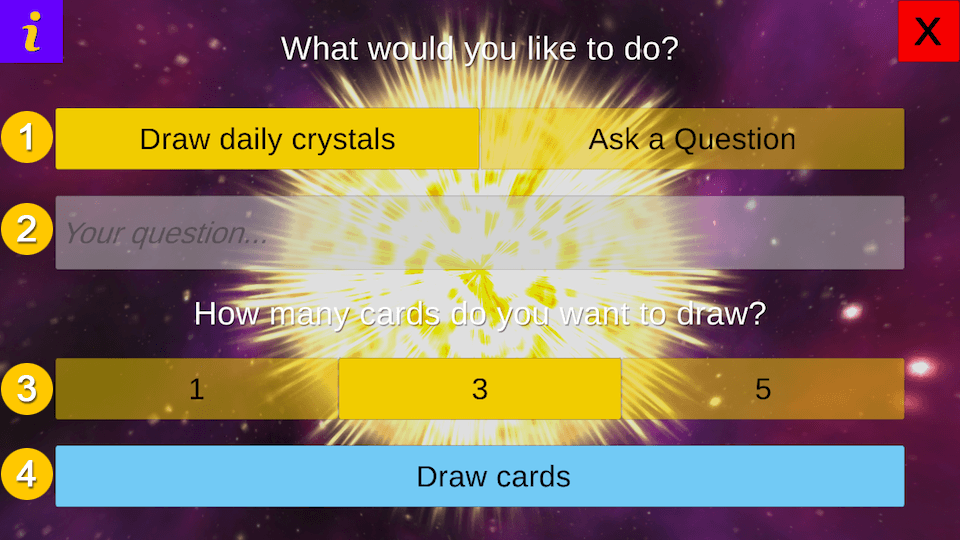
With this module, you have the opportunity to question the crystal energies and let their wisdom guide you. You can draw day crystals or have the crystals answer one of your questions.
1. Select mode: draw day crystals or ask question
2. If „ask question“, enter question
3. Determine the number of cards
4. Draw cards
Draw cards
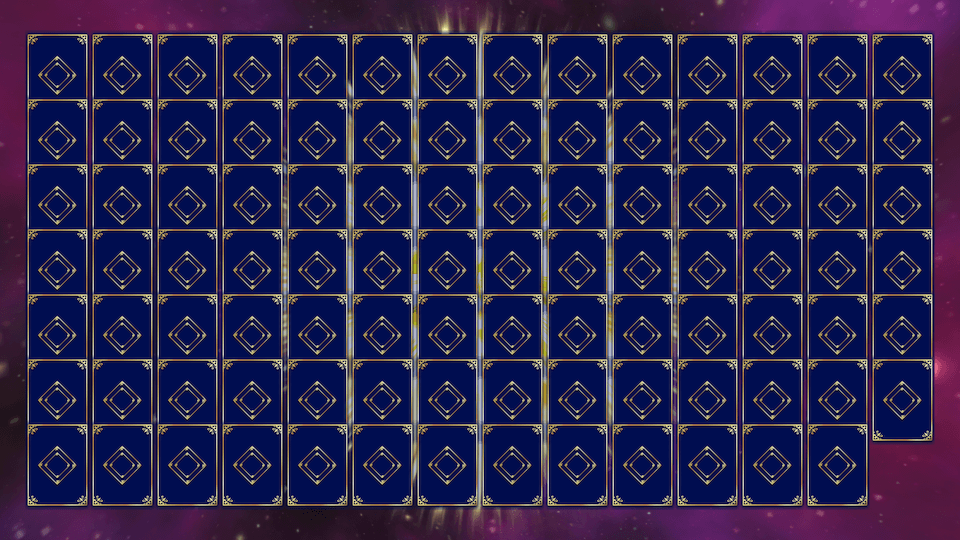
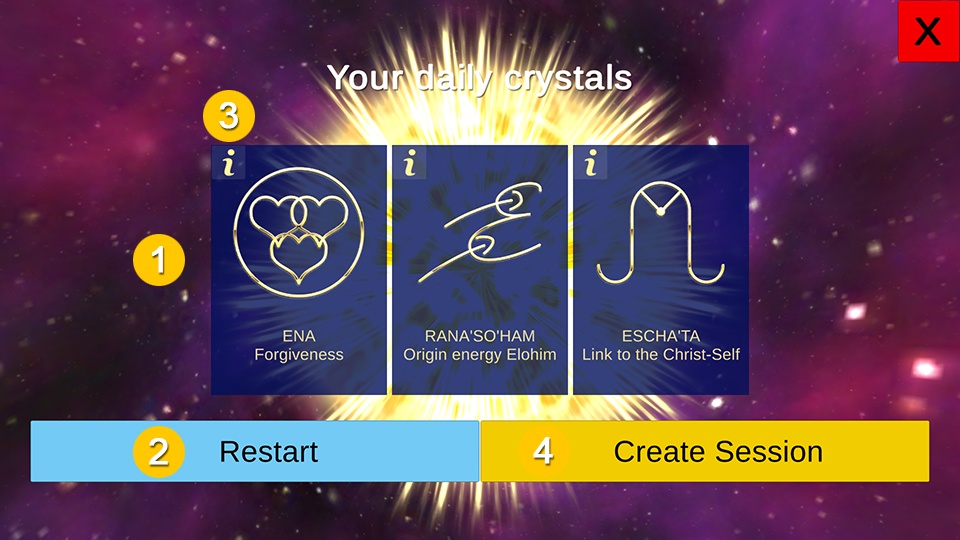
Take your time and meditate before drawing the cards and connect deeply with your intuition. When you’re ready, select your cards by clicking on it. When all cards have been selected, the window with the result opens. (see next picture).
1. Cards selected by you.
2. Restart the module.
3. Click on the small „i“ to get more information about the crystal
4. Opens the module „Energetic Session“ and creates a sequence with the selected crystals
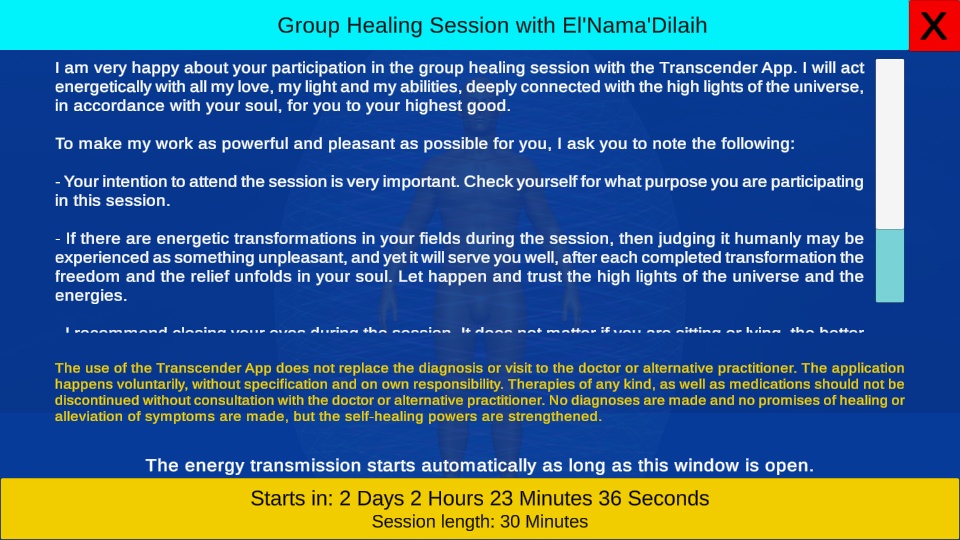
The group healing sessions take place every 2 weeks.
Please read through the instructions and prepare yourself for the transmission of energies in your own way. The transfer of energies starts automatically after the countdown has expired.
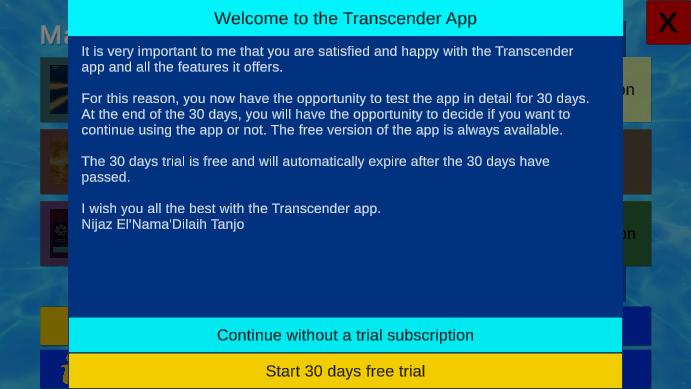
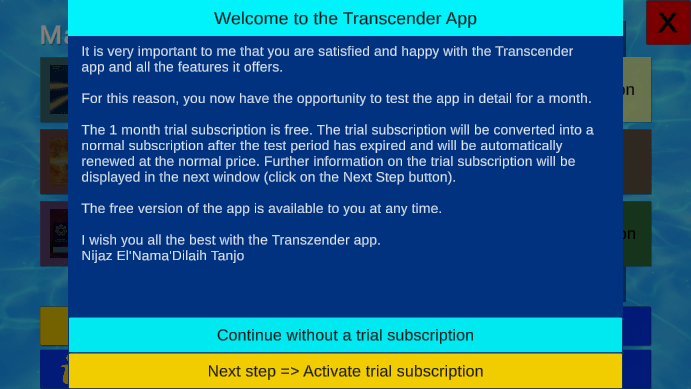
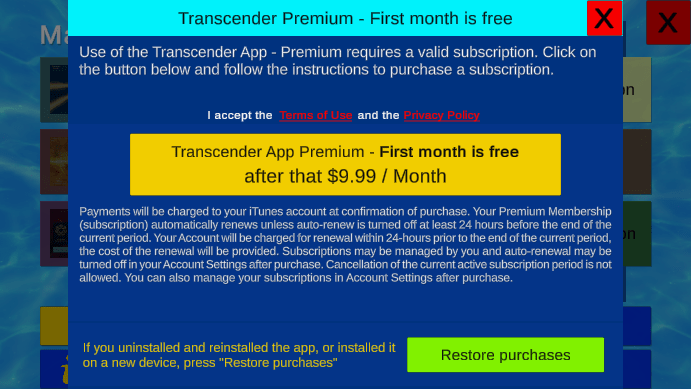
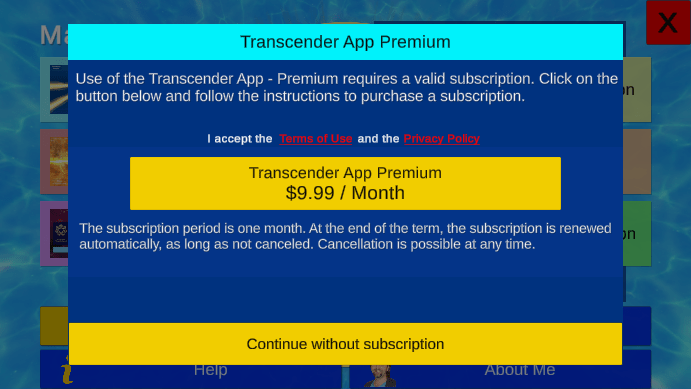
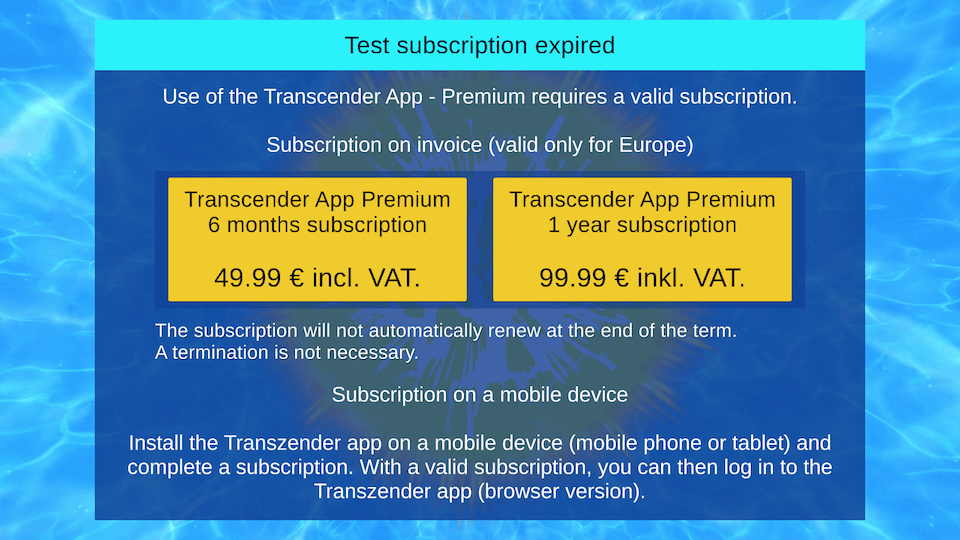
To purchase a premium subscription, click on one of the yellow buttons. A new window (see below) will open, in which you can complete your purchase.
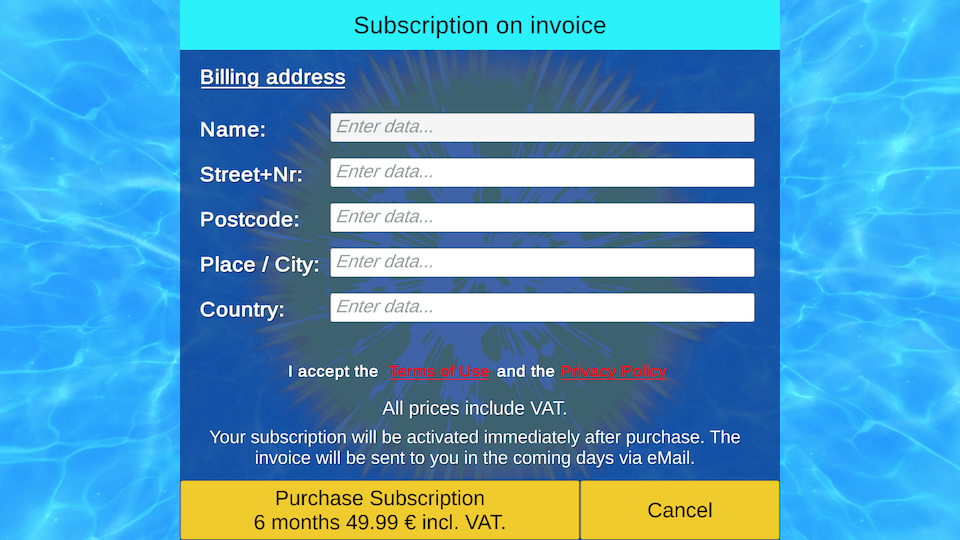
Enter your data in the provided fields and confirm your purchase by clicking on the button „Purchase subscription“. Your subscription will be activated immediately. An invoice will be sent to you in the coming days via email.
The Premium subscription will not be renewed automatically. A termination is not necessary.
With a Premium subscription, you have the right and the option to use the Transcender App on both, your mobile devices and the web app browser version on a desktop PC.
Contact - Bugs - Wishes - Ideas
If you have any questions, suggestions, ideas, etc. about the Transcender App, I am always at your disposal and happy about your message.
If you discover any bugs in the Transcender App, I would appreciate your feedback. In the case of a bug, it would be helpful for me if you could give me your device info, the version of the operating system and, if possible, send a picture.